Programming Fonts with Good Japanese Support (Including NerdFont and FiraCode)

Published Jun 11, 2022
Updated Nov 3, 2025
5 minutes read
Note

This old post is translated by AI.

##When You Don't Feel Like Coding, Tweak Your Fonts to Boost Motivation

Hello! Getting straight to the point, are you coding?

Since this year, I've been doing mostly coding work and have hardly done any experiments.

This week especially, I had extremely few meetings and discussions, and while my beloved coding work went well, I reached the level of I don't want to write code anymore this weekend 💢😠🙅‍♂️.

So this time, since I wasn't feeling motivated, I decided to make things look cooler to boost my motivation 😙

##Programming Fonts

Getting straight to it, did you know there are fonts specifically for programming?

You might know Consolas that comes standard with Windows, but if you're a bit of a font enthusiast, you probably know FiraCode as well.

I had been satisfied with FiraCode for over two years, but after starting to write blogs, I couldn't help but be bothered by how Japanese looked...

When I looked into it, I found quite a variety of free fonts that combine existing open-source fonts (like FiraCode) with Japanese fonts, and I got excited, so I'll introduce some recommendations🔥

###Points for Choosing Fonts

If you search for "programming font Japanese," you'll find many nice-looking fonts. But there are so many varieties that choosing can be quite exhausting.

💡 Keep the following points in mind when choosing fonts 💡

Whether It Includes Japanese Fonts

What I realized from researching this time is that whether it incorporates Japanese fonts is quite important 🀄

If you just use FiraCode without any specification, something like Meiryo will be used automatically, but the font width balance between the auto-selected Meiryo and alphanumeric characters, or the font atmosphere, often doesn't harmonize with the alphanumeric characters.

Since there are limited famous open-source Japanese fonts, the key points might be whether the following fonts are incorporated:

  • Source Han Sans
  • IPA
  • M+
  • Plex

Character Width

Font families that focus on Japanese fonts have English/alphanumeric and Japanese widths aligned according to a certain rule.

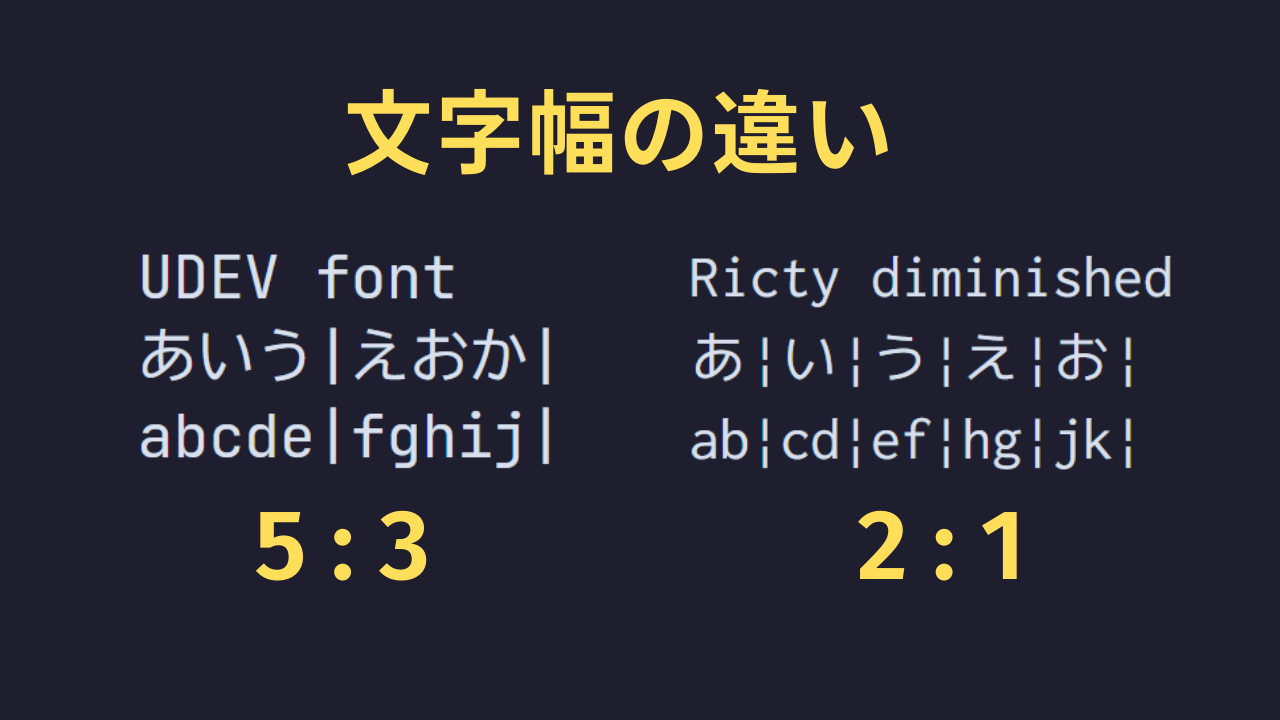
Common patterns are: ① Japanese:Alphanumeric = 2:1, or ② Japanese:Alphanumeric = 5:3.

Using | makes it easy to check the ratio

This is completely a matter of preference, but if you're too obsessed with character width, the alphanumeric characters become unusually narrow and tall.

I initially preferred 2:1 ratio fonts, but recently I've been using 5:3 fonts where alphanumeric characters also have decent presence.

This kind of character width is the result of font creators working hard to align character widths, so fonts like FiraCode without Japanese font adjustment won't have this character width.

Whether NerdFont Is Included

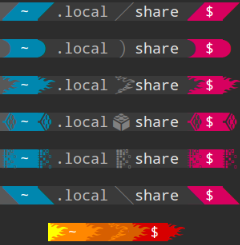
NerdFont is a special icon set.

There are almost no occasions to consciously use NerdFont, but it's essential for terminal decoration.

If you're using powerlevel-10k or oh-my-posh, it's required, so check if you want to use it in the terminal.

Whether Font Ligatures Are Included

Some fonts incorporate FiraCode's ligatures.

Since I've been using FiraCode for a long time, I feel quite sad if <- doesn't become a clean arrow mark.

###How to Use Fonts

Before introducing recommended fonts, I'll explain how to set fonts in VSCode and RStudio🔰

RStudio Desktop Version

Install the font files (.ttf, .ttc) distributed on GitHub etc. and restart the app, and it should become available.

You can change it from Tools -> Global Options -> Appearance -> Editor Font.

RStudio-server

Whether WSL or Linux, RStudio server has a quirk in where fonts are installed🛠️

One method is to copy fonts under /etc/rstudio/fonts, but you can't write to this folder without root privileges.

If you don't have administrator privileges, copying to ~/.config/rstudio/fonts is also fine.

VisualStudio Code

In VSCode, you'll enter in settings(UI) or settings.json, but you need to write the font family name yourself without making any mistakes.

How to find this font family name is the question🤔

I'm using Mac now so I don't know how to check... but on Windows, you do the following:

First, open the font list from Control Panel -> Fonts.

If a normal Explorer window opens, you're good.

This time I'm only introducing Japanese fonts🇯🇵🏯.

If you don't care about Japanese, there are countless options like FiraCode, Hack, Noto Sans, etc., so why not try searching on Coding Font?

###Ricty Diminished Discord with Fira Code

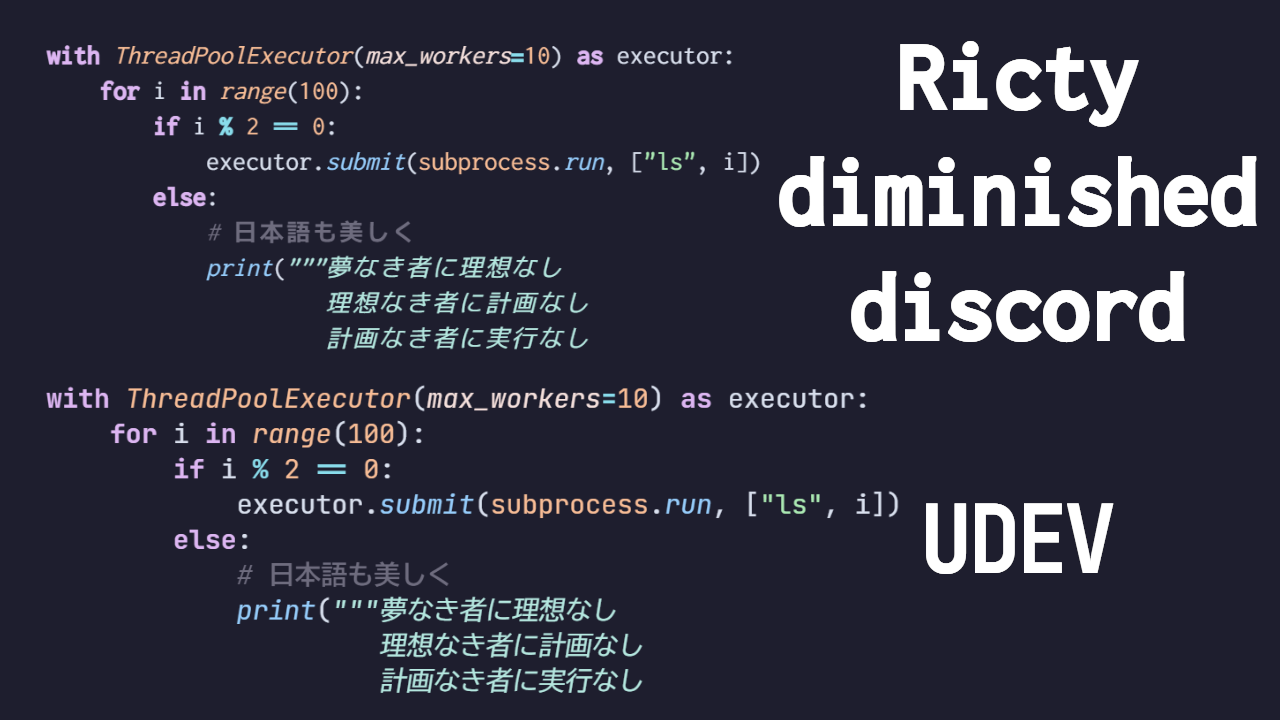
Ricty diminished discord uses Circle M+ for Japanese fonts and Inconsolata for alphanumeric characters.

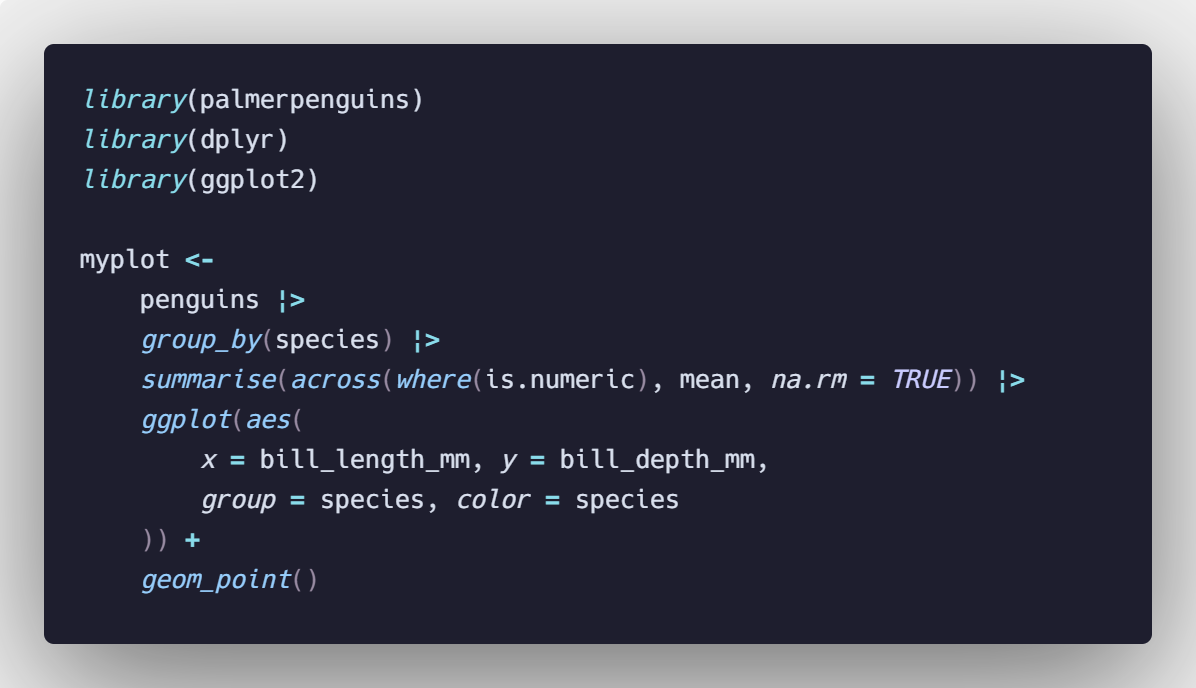
It covers points like NerdFont and FiraCode while also having excellent visibility for "i, l, 1" and "0, O" — a programming font that checks all boxes.

I used Ricty diminished for about half a year, but the alphanumeric characters feel a bit small.

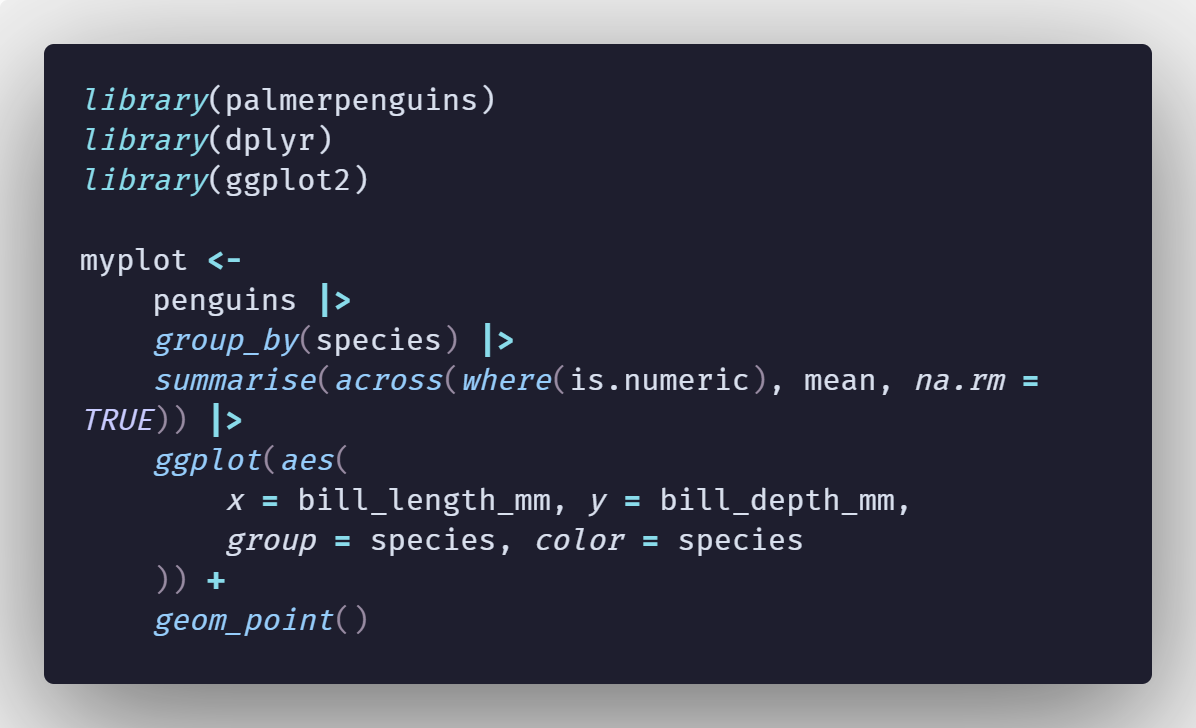
R code using Ricty diminished discord (Catuppuccin theme)

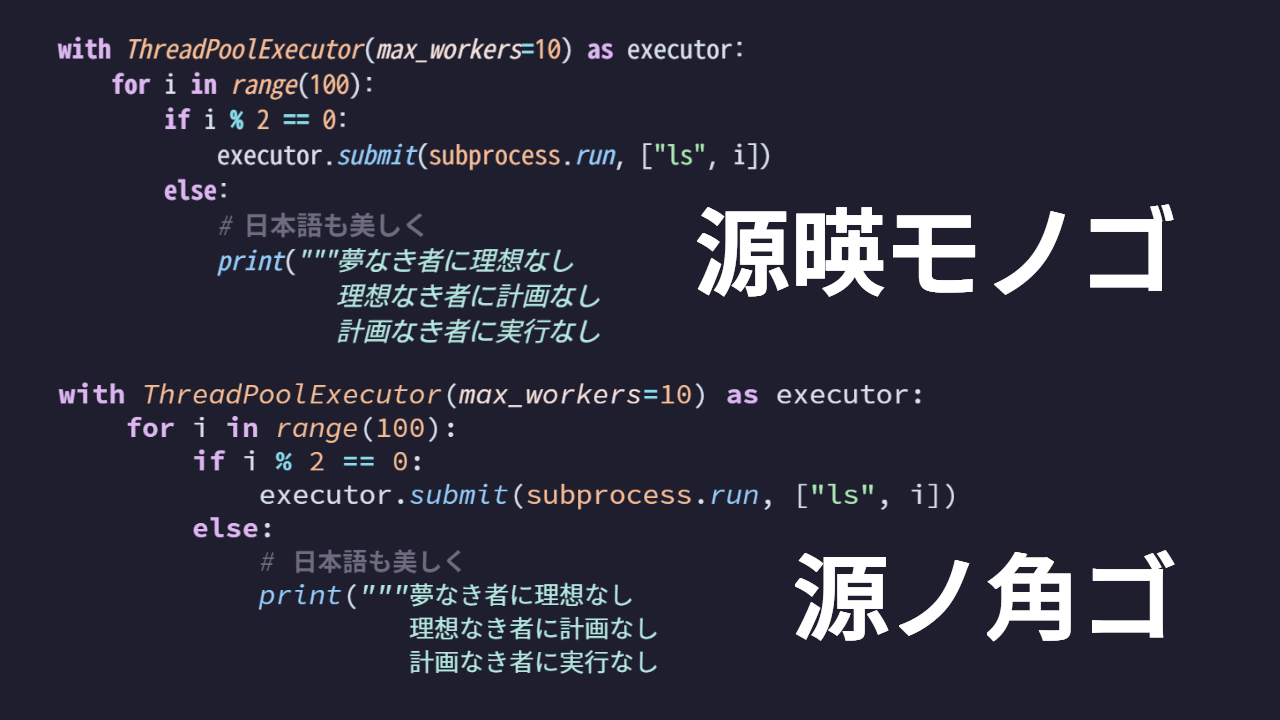
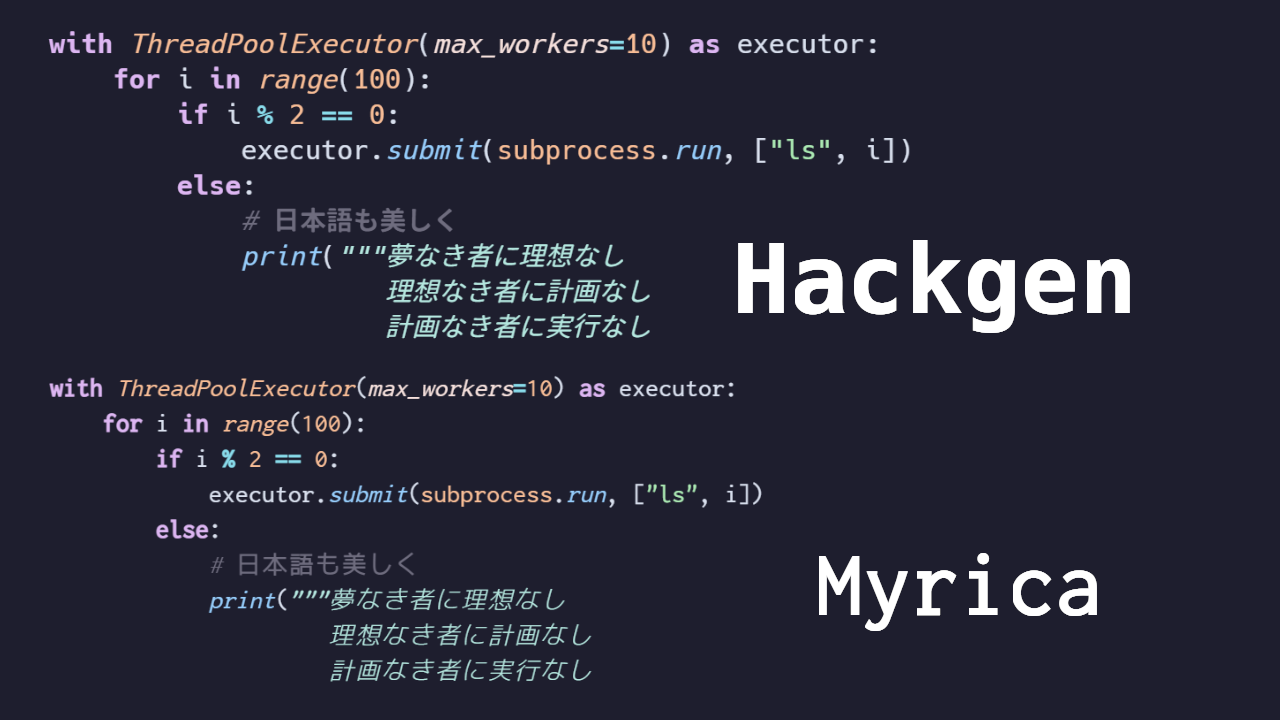
If you also look at the Python example, the alphanumeric characters are more modest in size compared to other fonts, making Japanese appear slightly larger.

###UDEV Gothic 35NFLG

UDEV uses BIZ-UD for Japanese and JetBrains Mono for alphanumeric characters.

In conclusion, what I'm using now is UDEV Gothic.

R code using UDEV Gothic 35NFLG

This font is "NFLG", meaning it's one of the few "NerdFont+Ligature" compatible fonts.

As expected, 3:5 ratio fonts give alphanumeric characters proper presence while being made with just the right balance.

Looking at individual characters, the distinctive "u" shape is cute, and I've completely fallen for it.

###Cica

Cica uses Rounded Mgen+ for Japanese, and a combination of Hack, DejaVu Sans Mono, etc. for other characters.

R code using Cica - Characters like "m" have a rounded, gentle impression

Looking at the Japanese text, you can see distinctive features like connected dots and stops in characters like "な" and "き".

Overall it's a rounded font including Japanese, but opinions might be divided.

###Firge 35Nerd

Firge uses GenShin Gothic for Japanese and Hack for alphanumeric characters.

I didn't notice while taking screenshots, but looking at the GitHub distribution source, you can see serif-like accents at the ends of "ー" and "ペ".

This is also distinctive, but it's a bit weird...

R code using Firge - The quirky "g" is distinctive?

###HackGen35Nerd

HackGen (Hakugen) uses Source Han Sans for Japanese and Hack for alphanumeric characters.

HackGen has several versions, and the 3:5 ratio + NerdFont version is 35Nerd.

R code using HackGen35Nerd

The balance between Hack and Source Han Sans, the roundness of characters, etc. are just right.

If I had to say something, I want a bit more originality when it becomes italic. It feels like it's simply slanted.🤔

###Myrica

Myrica shares many points with Ricty introduced earlier, but by performing hinting, it renders cleanly without becoming jagged even at small font sizes.

However, hinting-related display sometimes works and sometimes doesn't on Windows... so I'm a bit worried😓

R code using Firge

###Gen'ei Mono Code

Gen'ei Mono Code is a font with arrangements based on Source Han Sans.

Source Han Sans probably doesn't have italic Japanese(?), and the alphanumeric character width is quite thick.

On the other hand, Gen'ei Mono includes italics and has everything balanced just right, and the hiragana is distinctive yet beautiful.

R code using Gen'ei Mono Code

One thing that concerns me is that the alphanumeric characters feel slightly narrow and tall.

##Comparison Summary at the End

By the way, among these fonts, only Ricty and UDEV support FiraCode ligatures.

###Did You Find Your Favorite Font?

So that's my summary of programming fonts!

What I noticed from researching all this is that as far as VSCode is concerned, even if the font is good, R's theme is pretty mediocre.

Recently I've been hardly using RStudio at all and programming in R with VSCode for certain reasons, so improving VSCode theme is urgent⚠️ So I decided to create my own VSCode theme.

I'll write about VSCode theme creation next time! See you👋